What is a CSS Minifier and Why is it Essential for Page Speed?
Created on 19 September, 2025 • Developer Tools • 291 views • 3 minutes read
Is render-blocking CSS hurting your PageSpeed score? Learn how to make CSS files smaller with minification and use a free online tool to instantly boost your website's performance.
When a developer builds a website, they write CSS (Cascading Style Sheets) to make it look good. To keep the project organized, they write the code in a human-readable format, using spaces, line breaks, and helpful comments to explain different sections.
This is fantastic for development, but it's terrible for performance.
Every space, tab, and comment is an "unnecessary" character that adds to the file's total size. A browser doesn't need these to understand the code. When a user visits your site, their browser must download this bloated CSS file before it can render your page, which can dramatically slow down your site.
This is where a CSS minifier becomes one of the most important tools for website optimization.
What is CSS Minification?
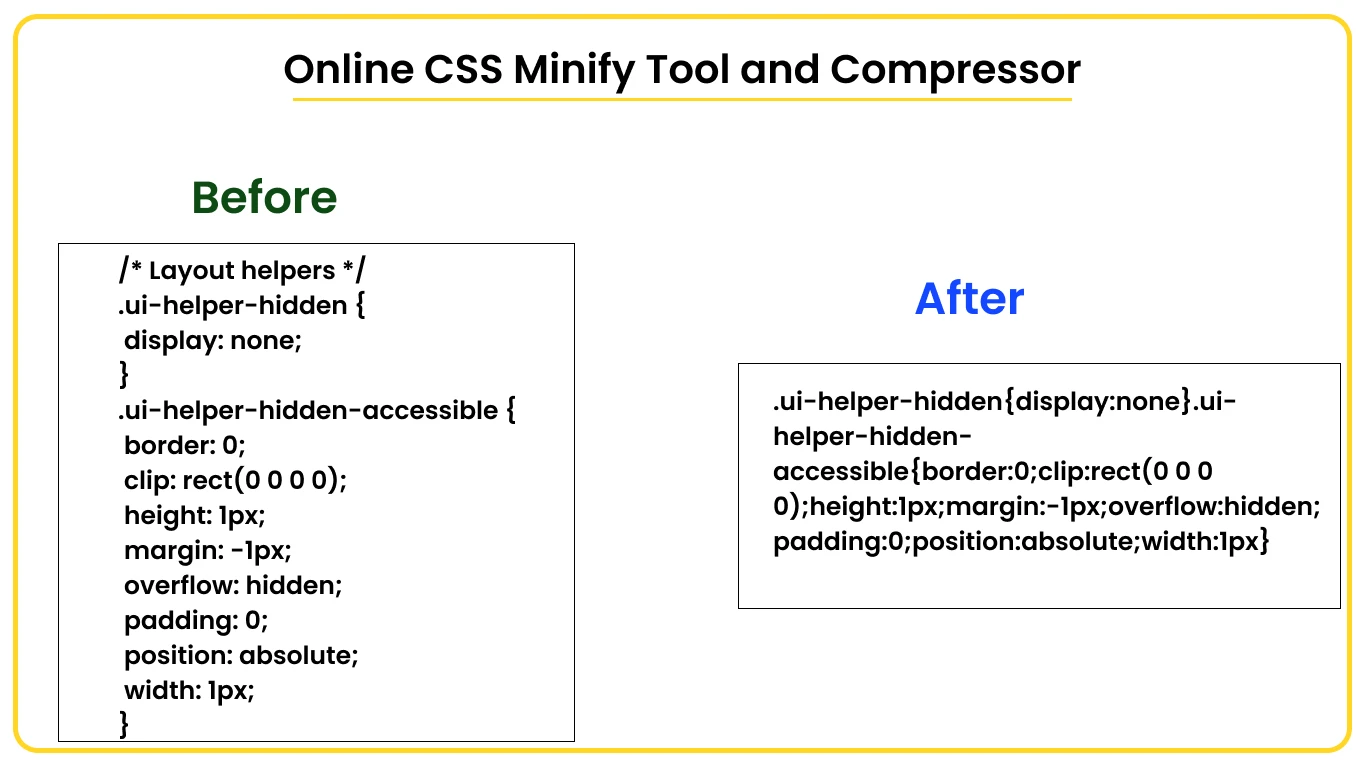
CSS minification is the process of removing all unnecessary characters from a CSS file to reduce its size, without changing its functionality. A "CSS minifier" is the tool, either online or in a build process, that performs this task automatically.
It takes a well-formatted, human-readable file and turns it into a compact, single-line version that is much faster to download.
Both files will make the link look exactly the same, but the minified version is significantly smaller and faster.
What Does a CSS Minifier Actually Remove?
- Whitespace: All spaces, tabs, and line breaks that are not required for the code to work.
- Comments: All developer comments (which start with /* and end with */).
- Redundancy: Advanced minifiers can also perform optimizations, like combining duplicate rules or shortening long hex color codes (e.g., #FFFFFF becomes #fff).
The Core Benefits of Minifying Your CSS
Why is this simple process so critical for modern websites, from a small blog here in Bangkok to a massive e-commerce site?
1. Drastically Faster Page Load Speed
Smaller files mean faster downloads. By minifying your CSS, you reduce the total amount of data a user has to download, which directly speeds up your website, especially for users on slower mobile connections.
2. Improved SEO & Core Web Vitals
This is the most critical benefit in 2025. As Cloudflare explains, CSS is a "render-blocking resource." This means a browser must download and parse the entire CSS file before it can display the page to the user.
A large, un-minified CSS file will delay this process, leading to a poor Largest Contentful Paint (LCP) score, a key metric in Google's Core Web Vitals that directly impacts your SEO ranking.
3. Reduced Server Costs
By reducing the size of your files, you reduce the total bandwidth your server has to transfer. For high-traffic websites, this can lead to real savings on your monthly hosting bills.
H2: Is Minification the Same as Gzip/Brotli Compression?
No, and this is an important distinction. You should be doing both.
- Minification is a pre-optimization. You are making the file itself smaller by removing useless characters from the code.
- Compression (like Gzip or Brotli) is a transfer-level optimization. It’s a technology your server uses to "zip" the minified file before sending it, and the browser "unzips" it upon arrival.
A compressed, minified file is significantly smaller than a compressed, un-minified file. Think of it as writing a one-page summary (minification) and then vacuum-sealing it for shipping (compression).
How to Minify Your CSS
- Automated Build Tools (For Developers): In a professional development workflow, minification is an automated step. Tools like Webpack, Parcel, or CSSNano are integrated into the project to automatically minify all CSS files when the site is deployed.
- Online CSS Minifiers (For Everyone): For a quick, easy, and no-code solution, an online CSS minifier is the perfect tool. You simply copy your readable code, paste it into the tool, and it provides the minified version to copy and use on your website.
In short, minifying your CSS is a fundamental, non-negotiable step for any performance-conscious website owner in 2025.