Stop Memorizing Commands: 4 Intelligent Autocomplete Tools for Your Terminal
Created on 17 December, 2025 • Developer Tools • 672 views • 3 minutes read
"The 'dumb' terminal is dying. We review the top AI-powered autocomplete tools—including Warp, Amazon Q, and GitHub Copilot—that predict entire commands and help you debug errors in real-time."
For decades, the terminal has been a unforgiving black box. You either knew the exact syntax for tar, ffmpeg, or kubectl, or you didn't. One typo, and you were greeted with a cryptic error message.
But the "dumb" terminal is dying. A new wave of intelligent autocomplete tools is transforming the command line into an environment that feels more like a modern IDE. These tools don't just complete file paths—they predict entire commands, translate natural language into Bash scripts, and help you debug errors in real-time.
Here are the best tools to give your terminal a brain transplant in 2025.
1. Warp: The Terminal Reimagined
Best for: Developers who want a complete UI overhaul.
Warp isn't just a plugin; it's a completely new terminal emulator built from the ground up in Rust. It treats your terminal output less like a continuous scroll of text and more like a chat interface or a notebook.
The "Warp AI" Advantage: Warp's intelligent autocomplete is built directly into its text editor. It predicts what you want to type based on your history and common patterns. But the real star is the Warp Drive and AI command search. You can type # create a tarball of this folder and Warp will generate the correct command for you.
- Key Feature: "Blocks." Warp groups your command and its output into a single visual block, making it easy to copy just the error message or just the output.
- The Vibe: It feels like VS Code and a terminal had a baby.
2. Amazon Q Developer (Formerly Fig)
Best for: Users deeply integrated into the AWS ecosystem.
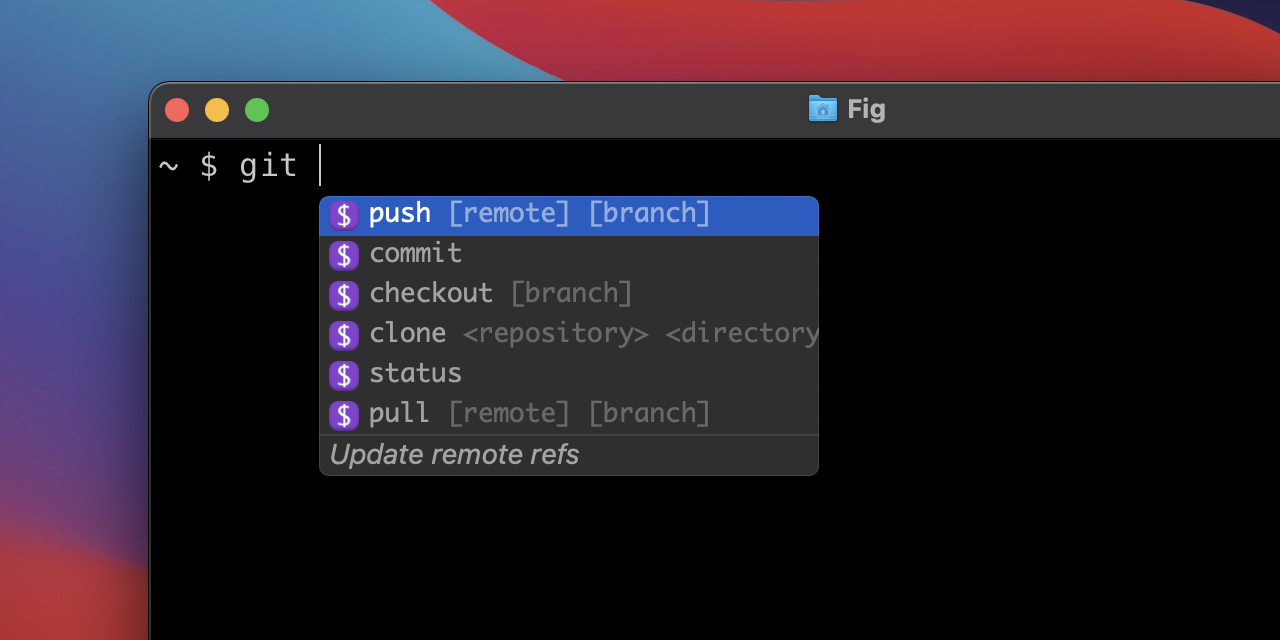
If you were a fan of Fig, you likely know it was acquired by Amazon and has now transitioned into Amazon Q Developer. Fig was famous for adding a visual "pop-up" menu to your existing terminal (like iTerm2 or VS Code) that looked exactly like the autocomplete in your code editor.
The Transition: While the beloved standalone Fig app has been sunset, its core technology powers the command line completions in Amazon Q. It offers "translation" capabilities—allowing you to type natural language prompts that it converts into executable shell scripts.
- Key Feature: It supports over 500+ CLI tools (like git, docker, npm) out of the box with visual descriptions of flags and arguments.
- Note: It requires an AWS Builder ID to function, which may be a hurdle for casual users who preferred Fig's indie simplicity.
3. GitHub Copilot in the CLI
Best for: Existing GitHub Copilot subscribers.
If you are already paying for GitHub Copilot, you might not know that you can bring that same power to your terminal. By installing the GitHub CLI extension, you unlock the ?? command.
How it works: Instead of leaving your terminal to Google "how to delete all docker containers," you simply type: gh copilot suggest "delete all docker containers"
Copilot will return the command, explain what each flag does, and give you the option to run it immediately. It brings the familiar "pair programmer" experience to your shell.
4. Inshellisense
Best for: Microsoft-centric developers wanting a lightweight layer.
Developed by Microsoft, inshellisense provides IDE-style autocomplete for shells like bash, zsh, and fish. It serves as a middle ground between the full terminal replacement of Warp and the heavy cloud integration of Amazon Q.
Why use it: It runs entirely locally after installation and provides a visual dropdown for commands, flags, and file paths. It supports hundreds of popular CLI tools including VS Code, npm, and git.
- Key Feature: It is open-source and creates a "layer" on top of your current shell, meaning you don't have to switch terminal emulators to get the benefits.
Final Thoughts
If you are ready to modernize your workflow:
- Download Warp if you want a faster, modern experience that breaks away from 40 years of terminal legacy.
- Use Amazon Q if you want to keep your current terminal (like iTerm2) but want visual dropdowns.